
Screen Sharing
Who can use this feature?
Room Owners and Participants
Free, Pro and Business
Desktop and Laptop (not available on mobile devices or tablets)
Note
Some users are reporting permissions issues with MacOS 12.3 and Chrome. To resolve the issue follow the steps below:
Verify that you've updated to the latest version of Chrome
Uncheck and recheck Chrome permissions in your Mac system preferences
Remove Chrome from permissions using the minus sign '-' and re-add using the plus sign '+'
Screen sharing is a great way to show participants in your room something that's on your computer's screen.
To keep an optimal level of performance in the room, screen sharing will broadcast from 1-5 FPS (frames per second), so it isn't suitable for sharing videos because they won't appear smooth to other users.
One of the benefits of this is that we can offer up to 1080p resolution on your shared image, so text and images will be crisp for your users!
Quick Answers
Can I share my computer's audio while screen sharing?
Yes! Sharing your computer audio while screen sharing is currently only possible in Chrome. Depending on the sharing option you have selected and the operating system you're on, you'll see a tick box that says "Share Audio" that you can tick to share audio from your selection! Note that there are some caveats depending on what operating system you're using.
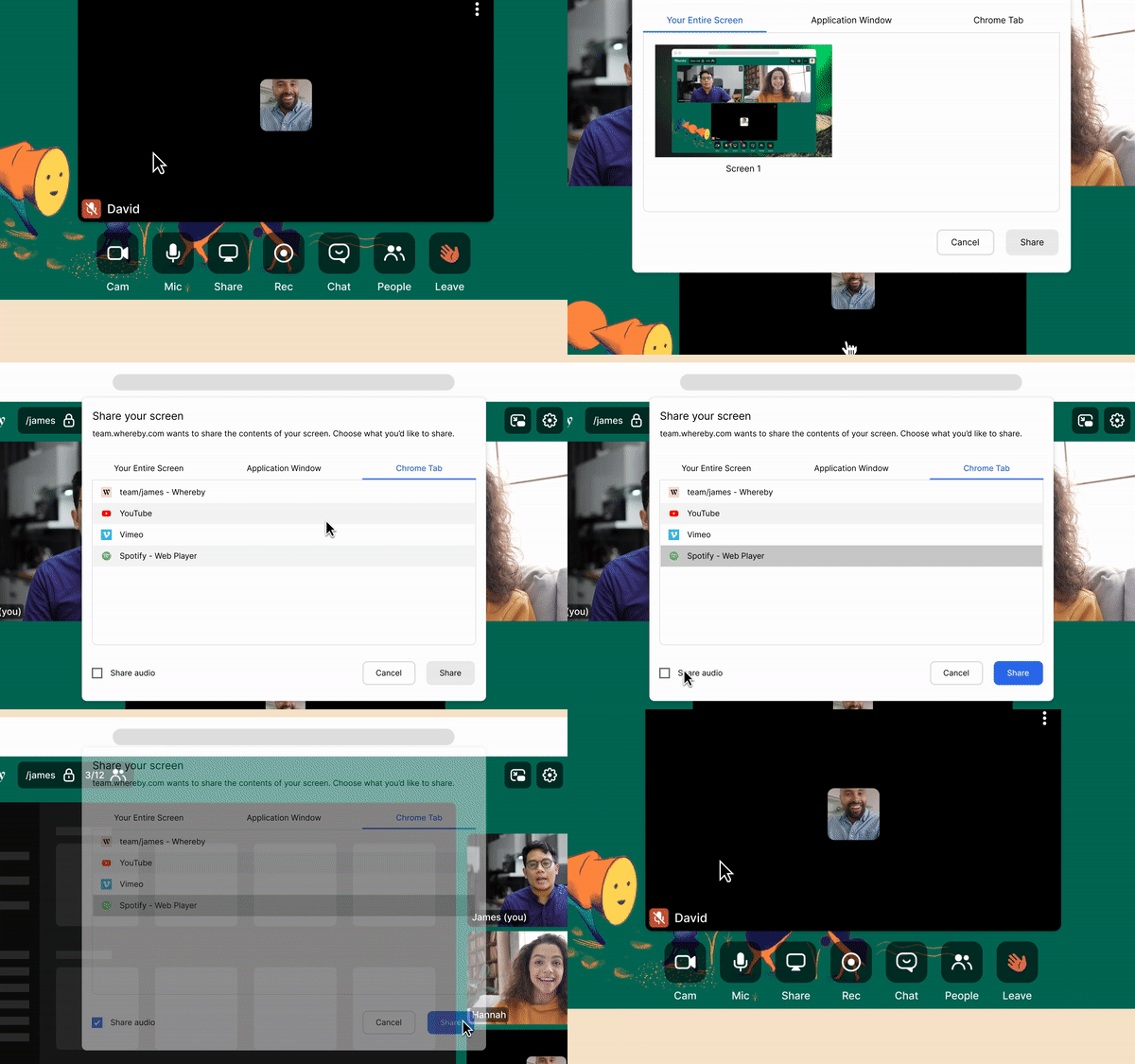
MacOS
On MacOS, you're only able to share audio with a specific Chrome tab. Sharing audio for your entire computer or a specific application window isn't possible at this time.
Windows
On Windows machines, you'll have the option to share audio from any Chrome tab, and you can also share the audio for your Entire Screen.
Why did I get an error message that I can't screen share?
If you are seeing an error message that says "Could not start screen share" this could mean a few things. Either the request was canceled or something was not selected properly. If this is the case, we recommend going to the Note section above regarding Catalina first then taking a look at our Screen Sharing in Different Browsers guide to see how to screen share in your browser.
I can't screen share after updating MacOS
In the newer releases of MacOS, Apple has introduced system level permissions for accessing screen sharing. After updating, you will need to go into the Privacy & Security section of System Settings. From there, scroll down to the Screen Recording & Audio Recording section, and ensure that your browser is toggled on. After doing this, screen sharing will be available on your device again!
Why am I having problems Screen Sharing with Linux?
We've found that Linux users that use the Wayland protocol for their display server will experience issues with screen sharing. Unfortunately, this is a well documented issue that's tied to Wayland and not something we've implemented specifically, so this is something that we can't action on. Our recommendation for Linux users is to use the Xorg protocol, as it doesn't experience these issues.