
I can't Create/Join a Room
If you're getting an error message when you try to Create or Join a room, there are a few different things that could be going on. Below we've laid out the possibilities depending on if you're trying to Create a room or Join one.
I get an error when Creating a Room
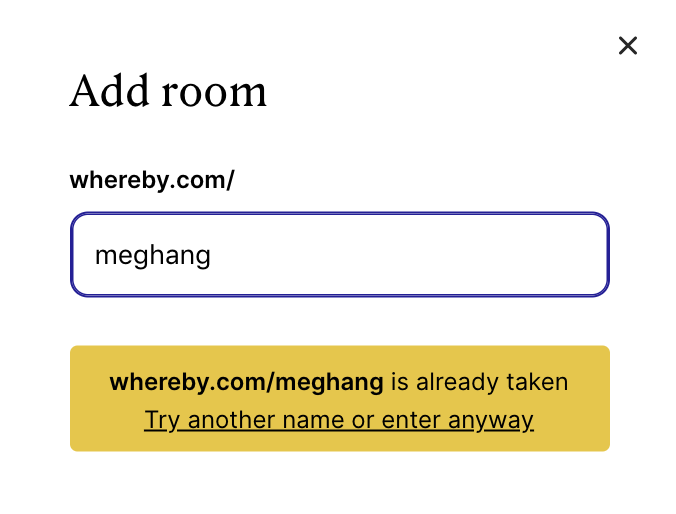
Here are some scenarios:
The room has already been Created by another user: In this situation you need to go back to the front page and create another room with a different name that's available as it might be possible that another user has already created the room with the same name.
You own the room, but you are not logged in to the correct account: If you're sure that you created the room, what's likely happening is you aren't logged in, or you aren't logged in to the correct account.
Use the instructions below to log in:
Click the "Login" button in the top right corner
Enter your e-mail address registered with the room
Then you will get a login code to the email that the room is registered to, and can log in as the owner of the room
Issues with conflicting cache and cookies that cause our room creation to fail: In this case, we'd recommend clearing your cache and cookies.
Instructions for our supported browsers are linked below:
I get an error when Joining a room
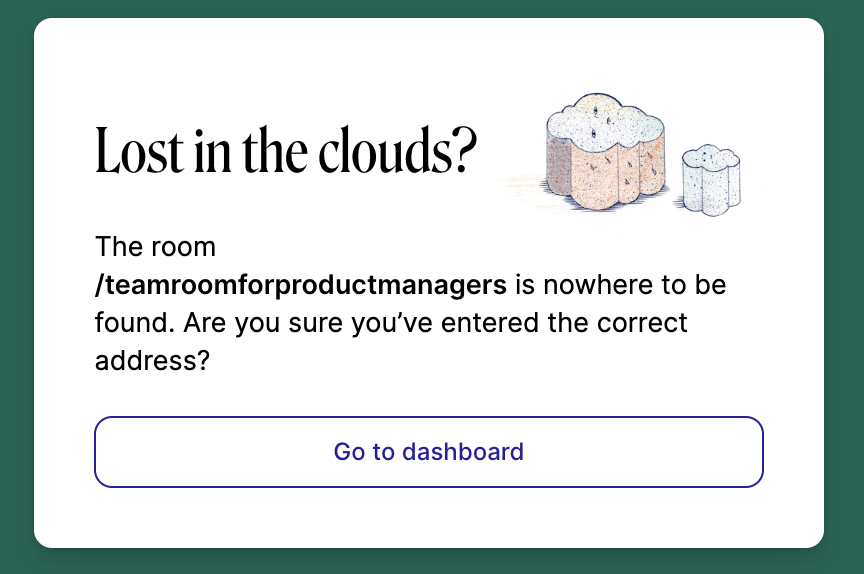
Here are some scenarios:
It's because the room hasn't been created under an account yet.
If you were invited to someone's room, it's likely that there is a typo in the link that was entered, or possibly in the link that was sent to you.