
How can I indicate I want to speak without interrupting the current speaker?
Edited
You can raise your hand by clicking the Raise hand icon when you hover over the Chat button.
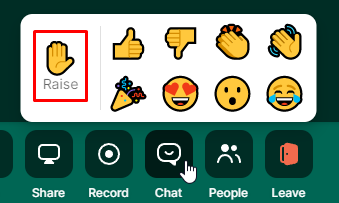
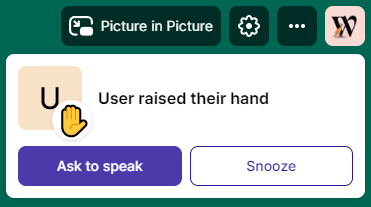
Others will see that you've raised your hand and get the following prompt on the top right of their screen:
If you feel like your question has already been addressed, you can also lower the hand the same way you raised it, by clicking the respective icon after hovering over the Chat button.