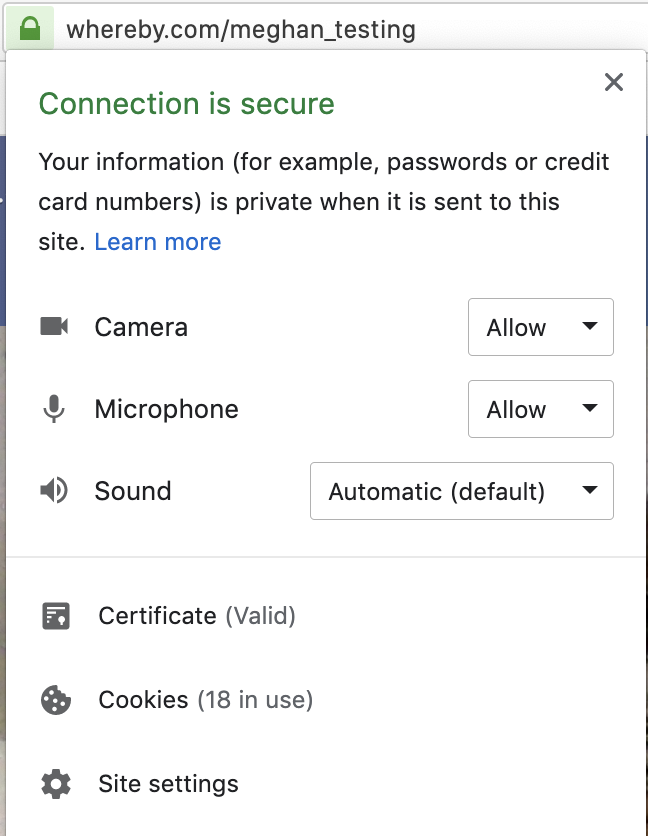
Browser Level Settings
Devices can be assigned as default devices on a browser level, so use the instructions below depending on what browser you prefer to use!
Chrome
Mic and Cam defaults can be accessed in a number of ways in Chrome, but the easiest is to paste the following links into your URL bar:
Cam: chrome://settings/content/camera
Mic: chrome://settings/content/microphone
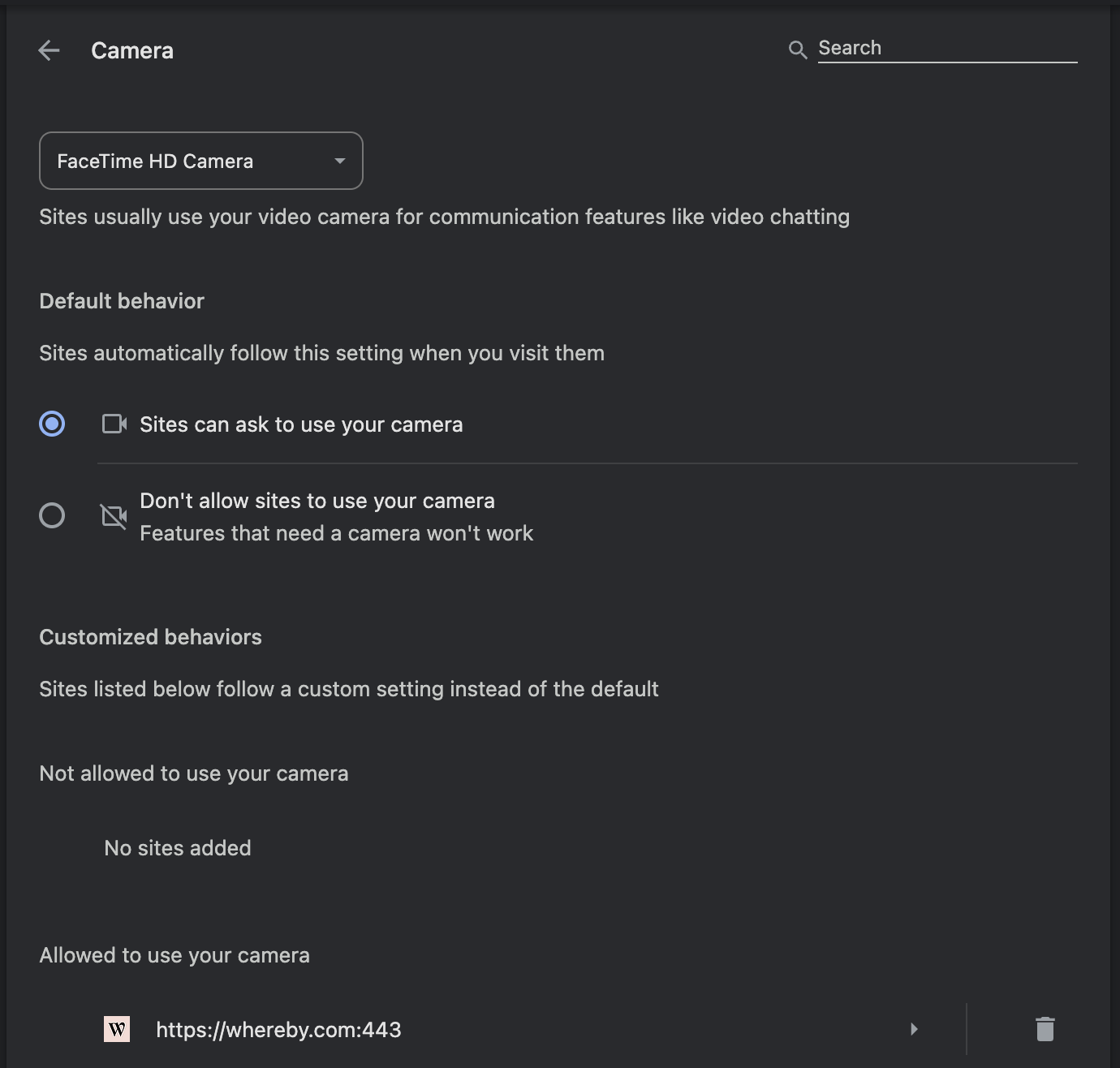
From these areas, you can manage the default cam/mic for Chrome, and also whitelist or block websites from accessing your cam/mic! For the smoothest experience, you'll want to have Whereby listed under the Allow section.
Firefox
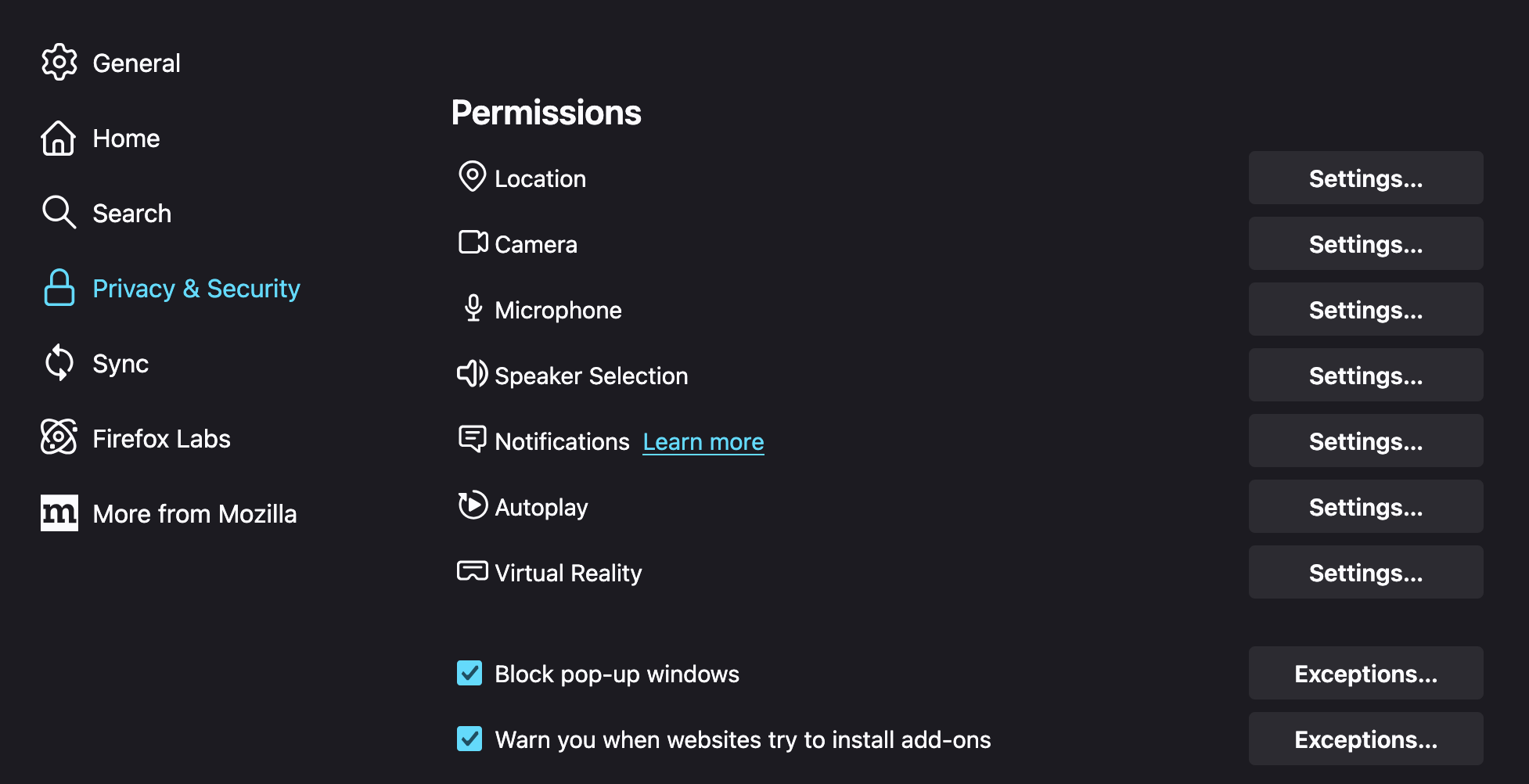
In Firefox, you can also use a URL link to get to your privacy settings. Start by going to about:preferences#privacy, and then looking under the Permissions section. Here you can adjust which websites are allowed to use your camera, and you'll want to see Whereby listed as Allow.
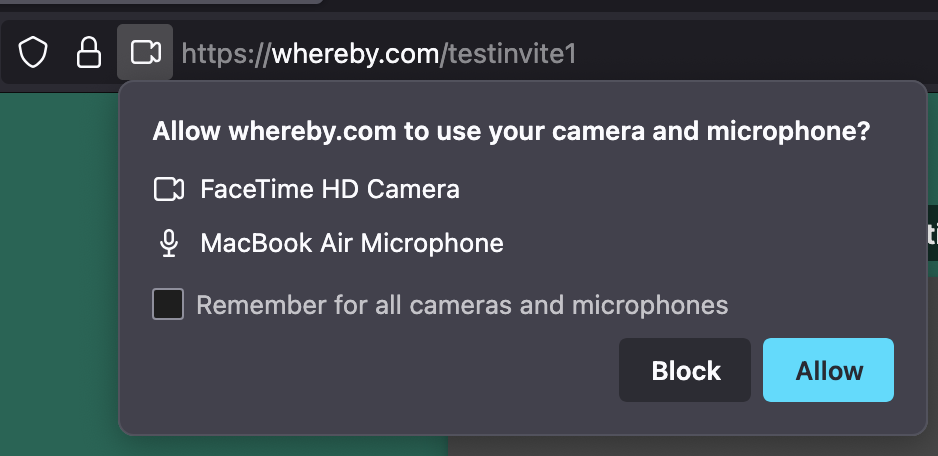
To adjust which camera or microphone you're using in Firefox, you'll need to go into a Whereby room. From here, click on the icon that's just to the left of your URL bar, and you'll have a drop down menu where you can select the camera you want to use:
Opera
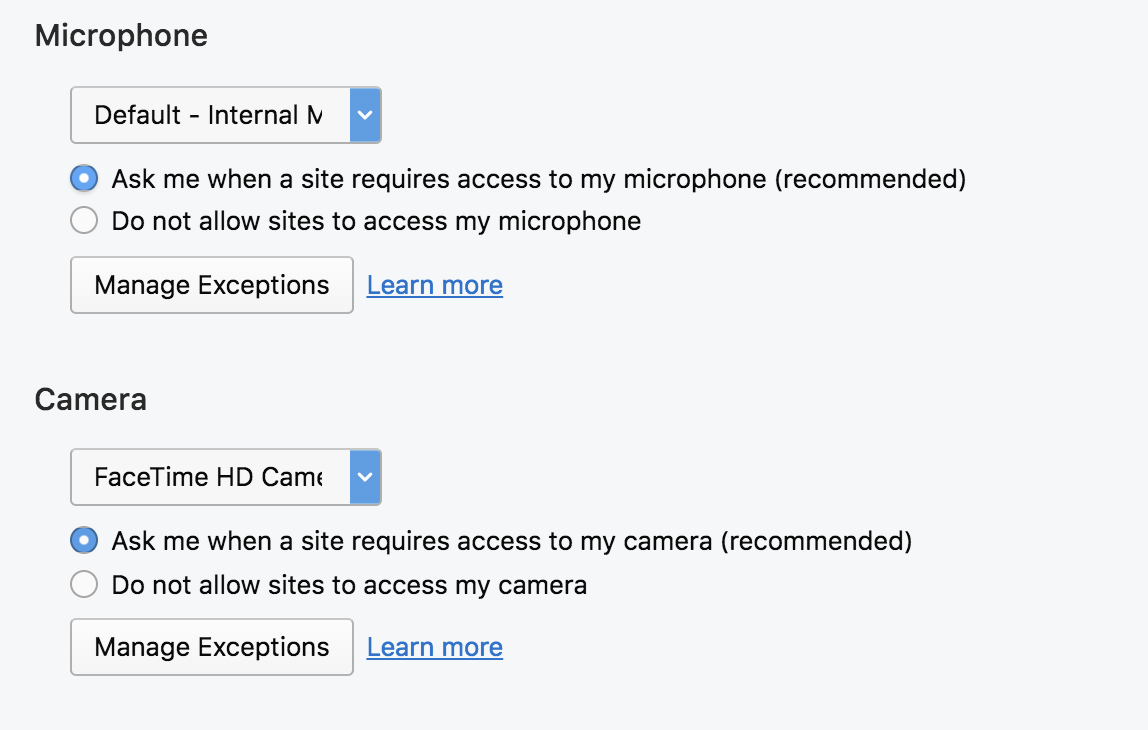
In Opera, you can get to settings by typing "settings" into your URL bar. From here, click on Websites in the left hand menu list. Then scroll down to the Microphone and Camera area, and use the drop down menus to select the default devices. You can also adjust your permissions preferences and set up Exceptions as necessary.
Vivaldi
Vivaldi only allows you to set permissions for your mic and cam and doesn't allow you to pick a default in app. However, Vivaldi uses Chrome as a base, so you could adjust the defaults in Chrome, and these changes should reflect in Vivaldi. You can adjust the preferences by entering a Whereby room and clicking on the lock icon in the room. This opens the preferences pane for the site.